
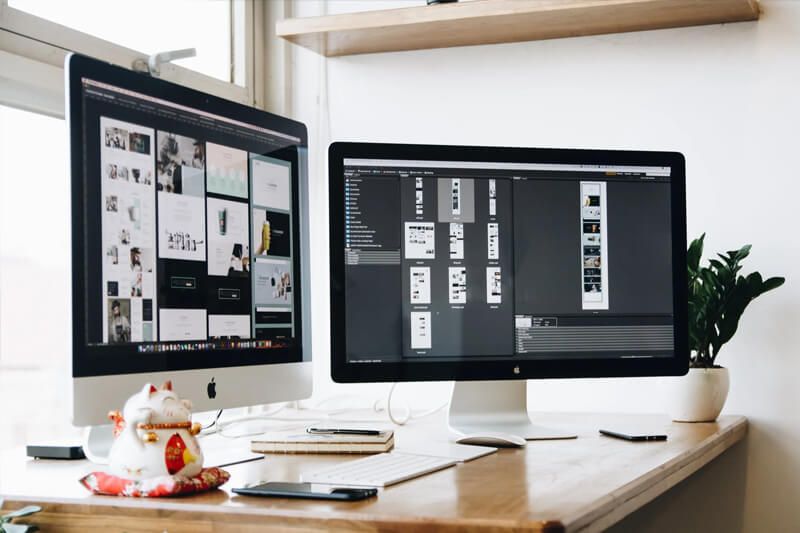
Pixme AI Photo Enhancement turns tired, blurry, noisy or badly lit images into clean, sharp pictures you can actually use on a website, in a catalog, in print or in a family album. We combine modern AI models with careful human review, so every image that leaves Pix Me has been checked by a person, not just processed by a machine.
Most photos are not bad; they are just held back by small problems such as low light, dust or faded color. AI tools fix these well but can overdo it, producing plastic skin or invented detail. Our job is to keep the benefit while keeping the result honest and natural.
What's included
AI upscaling
Increase resolution for print, large screens or cropping, with detail reconstruction that stays faithful to the original subject instead of inventing new features.
Denoise and sharpen
Reduce grain from high-ISO and low-light shots and recover crispness from mild softness or motion blur, balanced so textures still look real.
Color and exposure correction
Fix white balance, lift shadows, tame highlights and bring skin tones, products and skies back to believable, consistent color.
Background cleanup
Remove distractions such as stray cables, clutter, dust spots or passers-by, or replace a busy background with a clean neutral one.
Old photo restoration
Repair scratches, tears, stains and fading on scanned prints, with optional colorization clearly labeled as an interpretation rather than a record.
Batch processing
Apply a consistent look across dozens or hundreds of images, with a shared style guide so a whole gallery or catalog feels like one set.
Every order includes human quality assurance. A reviewer compares each enhanced file against the original, looks for artifacts at full zoom, and corrects or re-runs anything that does not meet our standard before it reaches you.
Who it's for
Pixme AI photo enhancement is built for people who have images that matter but do not have the time, software or experience to fix them by hand. Small business owners often have a camera roll full of usable product and location photos that only need correction to look professional. Bloggers and publishers need hero images that stay sharp on high-resolution screens. Families have boxes of prints that are slowly fading and would like them preserved before they get worse.
It also suits teams that work with a photographer but need help with overflow, such as cleaning up a large archive before a website redesign.
- Online stores and marketplace sellers with inconsistent product photos
- Bloggers, magazines and marketers who need crisp featured images
- Real estate, hospitality and local businesses with low-light interior shots
- Families and archivists restoring scanned prints and slides
- Agencies and designers who need a reliable batch-processing partner
- Anyone preparing images for print at a larger size than the original allows
If your photos are very badly damaged or extremely low resolution, we will tell you honestly what is realistic before you commit. AI can do a lot, but it cannot recover information that was never captured, and we would rather set clear expectations than oversell.
How it works
Tell us about your images
Use the contact form to describe what you have, how many files, and where the results will be used (web, print, marketplace, archive). A few sample images help us give an accurate quote.
Upload securely
We send you a secure upload link. You can share JPG, PNG, HEIC, WEBP or TIFF files, including large scans, without squeezing them through email.
Test edit and style agreement
For larger jobs we enhance a small sample first so you can approve the look, including how much sharpening, smoothing and color correction feels right.
AI processing and human QA
We run the images through the appropriate AI tools, then a reviewer checks each one at full size, fixes artifacts and makes manual adjustments where needed.
Delivery and revisions
You receive a download link with your finished files. Two rounds of revisions are included, so if something is not quite right, we adjust it.
Deliverables & turnaround
Turnaround depends on volume and complexity. The ranges below are typical for standard orders once files and the style brief are received; rush handling is sometimes possible on request.
| Item | Format | Typical turnaround |
|---|---|---|
| Single-image enhancement (up to 10 images) | JPG or PNG, full resolution | 1–2 business days |
| Upscaled files for print | TIFF or high-quality JPG | 2–3 business days |
| Old photo restoration | TIFF master + JPG copy | 3–5 business days |
| Background cleanup or replacement | JPG, PNG (transparent on request) | 2–3 business days |
| Batch processing (50+ images) | Your choice of format and naming | 3–7 business days |
| Web-optimized copies | WEBP or compressed JPG | Delivered with the main files |
You always receive full-resolution files. If you plan to publish online, we can also prepare lighter web versions sized for your site, which helps page speed without a visible loss of quality.
Quality, ethics & data handling
We treat enhancement as correction, not fabrication. We will not alter images in ways designed to mislead, such as changing what a product actually looks like, removing defects a buyer should know about, or editing documents and evidence. For restoration and colorization, we are clear about which parts are reconstructed so the result is not mistaken for an untouched historical record.
Your files are used only to complete your order. We do not use client images to train AI models, and we do not publish your photos in a portfolio without written permission. By default, originals and outputs are deleted within 30 days after delivery unless you ask us to keep them longer or remove them sooner. You can read the details in our privacy policy, and any data question can go to [email protected].
Tip: Send the highest-quality original you have. An untouched camera file or a fresh scan at 600 dpi or more gives the AI far more to work with than a screenshot or a compressed image saved from social media.
Want to understand the technology before you order? Our guide Pixme AI: The Complete Guide to AI Photo Enhancement explains how upscaling, denoising and restoration work, and where their limits are. If your images are for a shop, see AI Product Photography for E-commerce.
Frequently asked questions
Will enhanced photos look artificial?
Not if the work is done carefully. We tune the strength of each tool per image and a human reviewer checks for plastic-looking skin, over-sharpened edges and invented textures. If you prefer a lighter touch, tell us and we will keep the edits subtle.
How much can you upscale an image?
Two to four times the original size usually works well, depending on the starting quality. Beyond that, results depend heavily on the source file. We will advise you on what is realistic for your intended print or display size.
Can you restore badly damaged old photos?
Often, yes. Scratches, creases, stains and fading are usually very fixable. Missing sections, such as a torn-off corner across a face, may need reconstruction, and we will explain what is recreated rather than recovered.
Do you use my photos to train AI?
No. Your images are used only to complete your order and are deleted after delivery according to our retention policy. We do not share them or add them to training datasets.
What if I am not happy with the result?
Two rounds of revisions are included with every order. Tell us what feels off, such as color, smoothness or crop, and we will adjust it. If a result is simply not achievable from the source file, we will say so honestly.
Ready to bring your photos back to life?
Send us a few sample images and a short description of what you need. We will reply with a clear quote and realistic expectations for your files.
Request a Pixme AI quote