
For a small business, images do a lot of quiet selling. A customer sees your product photo on a marketplace, your storefront on a map, your founder's face on LinkedIn or your newsletter header long before they read a word you wrote. Visual content marketing is the discipline of making those moments consistent, intentional and measurable. This guide from Pix Me walks through the full picture: why visuals matter, how to build a visual identity without an agency budget, which formats each channel expects, how to plan and budget the work, and how to prove that it pays for itself.
Key takeaways
- Consistency beats occasional brilliance: a simple, documented visual identity (colors, type, photo style) makes every asset work harder.
- Plan around three to five content pillars so you are never starting from a blank page.
- Each channel has preferred aspect ratios; shooting with 1:1, 4:5, 9:16, 16:9 and 1.91:1 crops in mind saves hours later.
- Budget across production, editing and distribution, and choose in-house, freelance or AI-assisted production (such as Pixme AI) based on volume and skill, not trend.
- Measure ROI with UTM tags, GA4 events, conversion rate and cost per acquisition, so visuals are judged on outcomes rather than likes.
Why visuals matter more than ever for small businesses
People process images quickly, and most digital channels are now built around them. Social feeds lead with a picture, map listings display photos above reviews, and marketplace offers live or die by their main image. If your visuals are weak, the rest of your marketing has to work much harder to make up for it.
For small businesses there is a second, less obvious reason: visuals are a proxy for trust. A customer who has never heard of you uses cues to judge whether you are legitimate, careful and worth the risk. Clean, honest, consistent imagery tells people you pay attention to detail, which is often exactly what they are buying.
Building a visual identity that you can actually maintain
A visual identity is the set of choices that make your content recognizable at a glance. A small business needs a one- or two-page document that everyone, including freelancers and AI tools, can follow.
Colors
Choose one primary color, one or two secondary colors and a neutral palette (a near-black, a near-white and one or two grays). Record the exact values in HEX and RGB so they are reproduced consistently across tools. Use the primary color sparingly for emphasis, such as buttons, highlights and key graphic elements; overusing it makes everything look equally important.
Typography
Two typefaces are usually enough: one for headings and one for body text. A clean sans-serif paired with a complementary serif works for many brands.
Photo style
This is the part most businesses skip. Write down concrete rules:
- Lighting: bright and airy, warm and moody, or high-contrast studio?
- Backgrounds: plain white, neutral textures, real work environments, or lifestyle settings?
- People: real staff and customers (with consent), or product-only imagery?
- Color treatment: natural color, slightly warm, desaturated, or black and white?
- Composition: centered hero shots, generous negative space for text overlays, close-up details?
Collect six to twelve reference images that capture the feel you want, and add a few "do not" examples. That reference board becomes the brief for every shoot, every edit and every AI enhancement pass. When you use a tool such as AI photo enhancement, the same rules apply: consistent color grading and background choices matter more than any single impressive image.

Content pillars: deciding what to show
Content pillars are the recurring themes your visual content returns to. They keep your feed coherent and make planning faster. Most small businesses can work with three to five pillars, for example:
- Product and service: hero shots, details, variations, before-and-after results.
- Proof: customer results (with permission), reviews turned into graphics, case examples, certifications.
- Education: how-to visuals, tips, comparison images, short explainers that answer common customer questions.
- Behind the scenes: your team, workspace, process, sourcing and craft.
- Community and timely content: local events, seasonal moments, partnerships.
Keep direct promotion to a minority of posts and let education, proof and behind-the-scenes content build the relationship that makes promotion work.
Channel-by-channel formats and aspect ratios
Every platform crops and displays images differently, and the specifications change from time to time. Plan around a handful of common aspect ratios and check current platform guidance before major campaigns. The table below summarizes typical starting points.
| Channel | Typical formats | Common aspect ratios | What works well |
|---|---|---|---|
| Website | Hero banners, product pages, blog headers, team page | 16:9 for heroes and headers, 1:1 or 4:5 for product grids | High-quality originals, fast-loading compressed files, descriptive alt text |
| Google Business Profile | Cover photo, logo, interior, exterior, products, team | Mostly 4:3 or 1:1; the platform crops variably | Real, recent photos of your location, products and people; regular uploads |
| Feed posts, carousels, Stories, Reels | 4:5 or 1:1 for feed, 9:16 for Stories and Reels | Consistent style, carousels for education, vertical video for reach | |
| Single images, document carousels, link previews | 1:1 or 4:5 for images, 1.91:1 for link previews | Team, expertise and process content, data visuals, founder presence | |
| Header images, product blocks, banners | Wide headers (roughly 2:1 to 3:1), 1:1 product tiles | Lightweight images, live text for key messages, clear buttons | |
| Marketplaces | Main image, gallery, lifestyle and infographic images | 1:1 is the most common requirement | Clean main image per platform rules, detail and scale shots, benefit graphics |
The practical implication is simple: when you shoot, leave room around the subject so the same image can be cropped to square, portrait, vertical and wide formats. A product centered tightly in the frame looks great at 1:1 but becomes impossible to use as a 16:9 website banner. For marketplace listings specifically, our AI product photography playbook covers background and main-image rules in more depth.
Tip: Create a set of blank templates in your design tool for each ratio you use (1:1, 4:5, 9:16, 16:9, 1.91:1) with your fonts, colors and logo placement already set.
Building a realistic content calendar
A schedule you can sustain for a year is far more valuable than an ambitious plan you abandon after three weeks.
Start with capacity, not ambition
Estimate how many hours per week you or your team can actually spend on visual content. Then choose a cadence that fits. For many small businesses, two to four posts per week on one primary social channel, one email per week or fortnight, and monthly updates to the website and Google Business Profile are achievable.
Map pillars to days and channels
Assign pillars to recurring slots, such as education on Tuesdays and behind the scenes on Fridays. Layer in launches, seasonal peaks and local events. Plan major campaigns six to eight weeks ahead so there is time to shoot and edit.
Batch production
Batching is the single biggest time saver. One half-day shoot per month, followed by one editing session and one scheduling session, typically produces better results than creating something new every day.
Budgeting: in-house, freelancer or AI-assisted
There is no single correct budget for visual content; it depends on your industry, your sales channels and how visual your product is. What matters is to budget deliberately across three stages: production (shooting or creating), post-production (editing, retouching, design) and distribution (scheduling tools, paid promotion).
In-house production
Doing it yourself with a modern smartphone, a simple light setup and editing software is the lowest-cost route in cash terms, but not in time. It suits authentic, everyday content such as behind-the-scenes posts. The hidden cost is the owner's time.
Freelancers and studios
A professional photographer or designer brings skill, equipment and an outside eye. This is often the right choice for cornerstone assets such as hero images, team portraits or a new product line. Ask for usage rights in writing and brief freelancers with your visual identity document.
AI-assisted production
AI tools have changed the economics of the middle of the workload: cleaning up backgrounds, correcting light and color, upscaling older images, generating on-brand variations and adapting one image to several formats. A service such as Pixme AI can take real photos of your products or team and make them consistent and publication-ready at a fraction of the time manual retouching would take. AI works best as an amplifier of real photography, not a replacement for showing what you actually sell. Misleading product images can also break consumer protection rules.
Most small businesses end up with a hybrid. As an illustration only (not a benchmark), a business might split its visual content budget like this:
| Budget area | Example share (illustrative) | What it covers |
|---|---|---|
| Cornerstone professional shoots | 30% | One or two freelancer shoots per year for hero, team and key product images |
| AI-assisted editing and variations | 20% | Enhancement, background cleanup, format adaptation, seasonal variations |
| Design tools and templates | 10% | Design software, template sets, stock assets where needed |
| Paid promotion of best-performing visuals | 35% | Boosting proven posts and running image-led ads |
| Testing and contingency | 5% | Trying a new format or channel, reshoots |
A marketplace seller might invest far more in product imagery, while a local service business might favor Google Business Profile photos and local ads. If you are weighing paid channels, our overview of alternatives to Google Ads can help you decide where visual ads will get the most attention.

Measuring ROI: from likes to revenue
Likes and follower counts are easy to see and easy to overvalue. To know whether visual content is paying off, connect it to actions that matter: visits, inquiries, bookings, sign-ups and sales.
UTM tags
UTM parameters are tags added to a link so your analytics can tell where a visitor came from. The standard parameters are utm_source (for example, instagram), utm_medium (for example, social or email), utm_campaign (for example, spring_launch) and optionally utm_content, which is ideal for distinguishing which image or creative variation drove the click. Use a consistent, lowercase naming convention.
GA4 events and conversions
Google Analytics 4 records user interactions as events. Some are collected automatically; others you define, such as form submissions, booking clicks, phone link taps or purchases. Mark the events that represent real business value as key events (conversions). You can then see which campaigns and creatives lead to those outcomes. Google's official Analytics developer documentation explains event setup in detail.
The core formulas
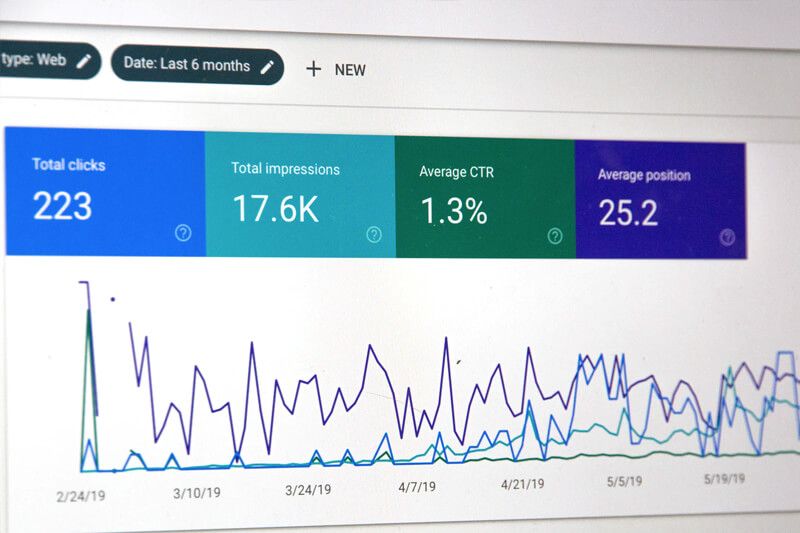
- Click-through rate (CTR) = clicks ÷ impressions × 100. It shows how well a visual earns attention and action.
- Conversion rate = conversions ÷ visitors (or sessions) × 100. It shows whether the people your visuals attract actually take the desired action.
- Cost per acquisition (CPA) = total cost of the campaign ÷ number of conversions. Include production costs, not only ad spend.
- Return on investment (ROI) = (revenue attributable to the campaign − total cost) ÷ total cost × 100.
- Return on ad spend (ROAS) = revenue from ads ÷ ad spend, a narrower measure useful for paid campaigns.
A simple worked example with round numbers: if a campaign costs 1,000 in total (shoot, editing and promotion), generates 40 sales, and those sales bring in 3,000 in revenue, the CPA is 1,000 ÷ 40 = 25 per customer and the ROI is (3,000 − 1,000) ÷ 1,000 × 100 = 200%. Ideally, compare CPA against customer lifetime value rather than a single order.
Testing creatives
Run controlled comparisons where possible: the same offer, audience and budget with two different images. Change one variable at a time, such as lifestyle versus plain background or product-only versus product-in-use, and use utm_content to separate results. Let tests collect enough clicks before declaring a winner.
Repurposing one shoot into dozens of assets
A single well-planned shoot can supply a month or more of content if you plan the shot list with repurposing in mind:
- Hero images for the website and email headers, shot wide with space for text.
- Square and 4:5 crops for social feeds and marketplace galleries.
- Vertical 9:16 photos and short clips for Stories and Reels.
- Detail shots that become carousel slides explaining features or craftsmanship.
- Team portraits for the About page, LinkedIn profiles and press requests.
- Seasonal variations created later with AI-assisted editing, such as a new background or color accent, without reshooting.
Store everything in a shared, well-named library with notes on usage rights.
A step-by-step action plan
Audit what you have
Collect your current images from every channel. Note what is inconsistent, outdated or missing, and which images have performed best.
Write a one-page visual identity
Define colors, fonts and photo style rules, and build a small reference board with positive and negative examples.
Choose pillars and cadence
Select three to five content pillars and a publishing rhythm you can sustain for at least six months.
Plan and batch a shoot
Build a shot list that covers every channel and aspect ratio you need, then shoot in one focused session.
Edit and adapt efficiently
Use templates and AI-assisted editing to create consistent, correctly sized variations for each channel.
Tag, publish and measure
Add UTM tags, set up GA4 key events, and review CTR, conversion rate and CPA monthly. Reinvest in what works.
If you are still laying the groundwork for your business marketing overall, our article on three ways to improve your small business starting today pairs well with this plan.
Bringing it together
Visual content marketing requires clear rules, a sustainable routine, smart production choices and honest measurement, not a big agency. Start with a simple visual identity, plan around pillars, shoot with every channel in mind, and let data guide where you invest next. At Pix Me we see the same pattern again and again: businesses that treat images as reusable assets, and measure them against real outcomes, get far more from every shoot. Pixme AI is designed to support exactly that approach, helping small teams turn real photos into a consistent, channel-ready library.
Frequently asked questions
How much should a small business spend on visual content?
There is no universal figure. It depends on how visual your product is, which channels drive sales and your overall marketing budget. Set a total marketing budget first, allocate shares to production, editing and distribution, and adjust quarterly based on CPA and ROI.
Which aspect ratio should I shoot in?
Shoot at the highest resolution your camera allows and compose with extra space around the subject. That lets you crop to 1:1, 4:5, 9:16, 16:9 or 1.91:1 later. If you shoot video for vertical platforms, record in 9:16 natively when possible.
Can AI-generated images replace product photography?
For most small businesses, AI works best to enhance and adapt real photos rather than to invent products. Customers expect to receive what they saw. Use AI for cleanup, consistency, backgrounds and format variations, and keep the product itself accurate.
How do I know which image performed best?
Use a distinct utm_content value for each creative, track key events in GA4, and compare CTR and conversion rate for each variation over a similar period and audience.
Need a steady stream of on-brand visuals?
Pix Me helps small businesses plan, produce and adapt visual content, combining real photography with Pixme AI enhancement to build a consistent library for every channel.
Explore content creation